Create demand for your expertise. Then capture it.
Content that sounds like you, not AI.
It starts with a growth strategy session: fifteen minutes of conversation that works out who you're writing for, the themes you should own, what you believe and how you sound. After that, Inklined hands you something worth saying every morning, writes it in your voice, and shows you the people worth talking to.
The calls are the raw material, and not all of it is usable. How to tell which parts are worth publishing goes through the method by hand, without the product.
It starts with a conversation, not a setup form
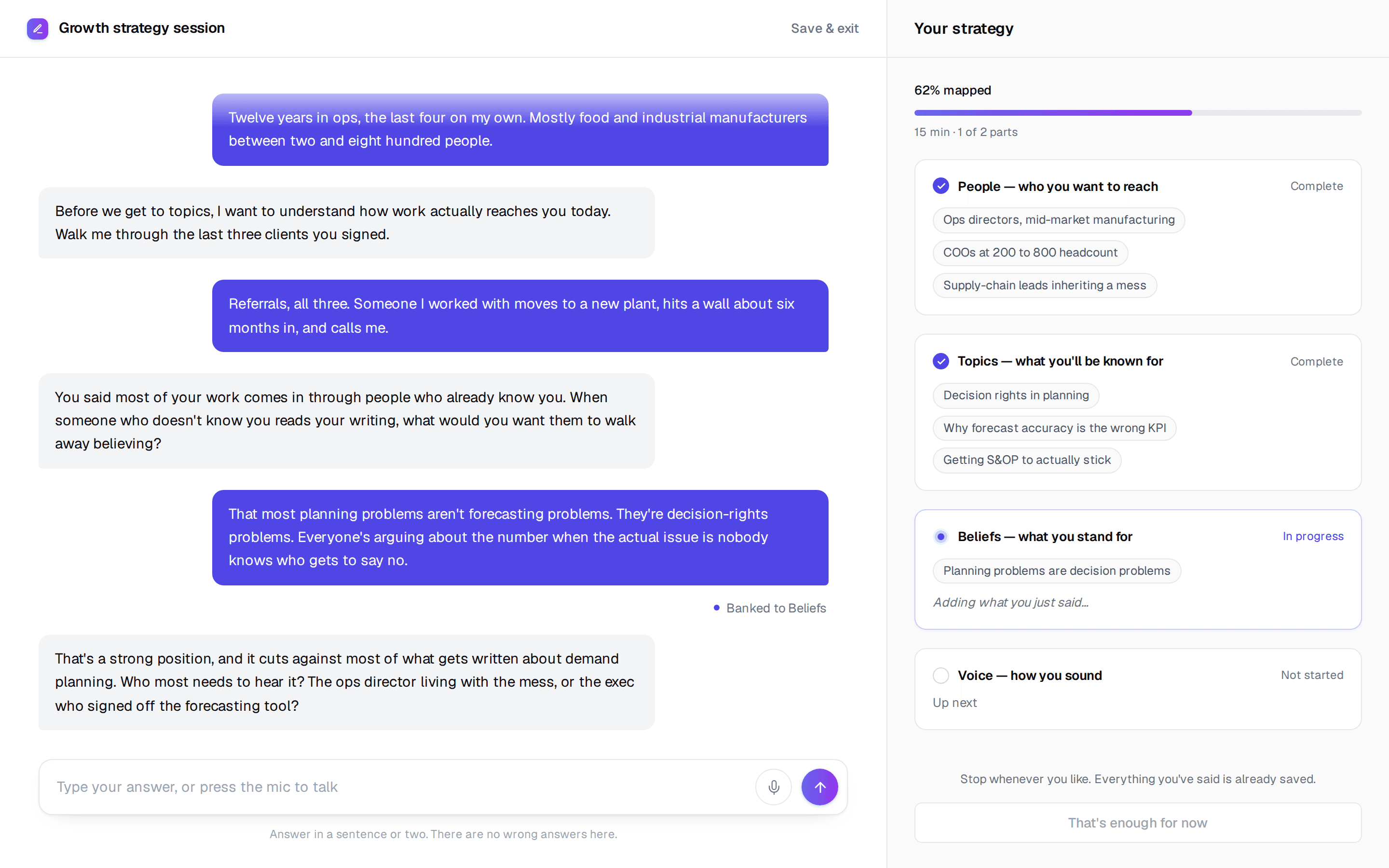
Your first session with Inklined is a growth strategy session.
- Tell it how long you have. Five minutes, fifteen, or as long as it takes. It works to your budget and saves as it goes.
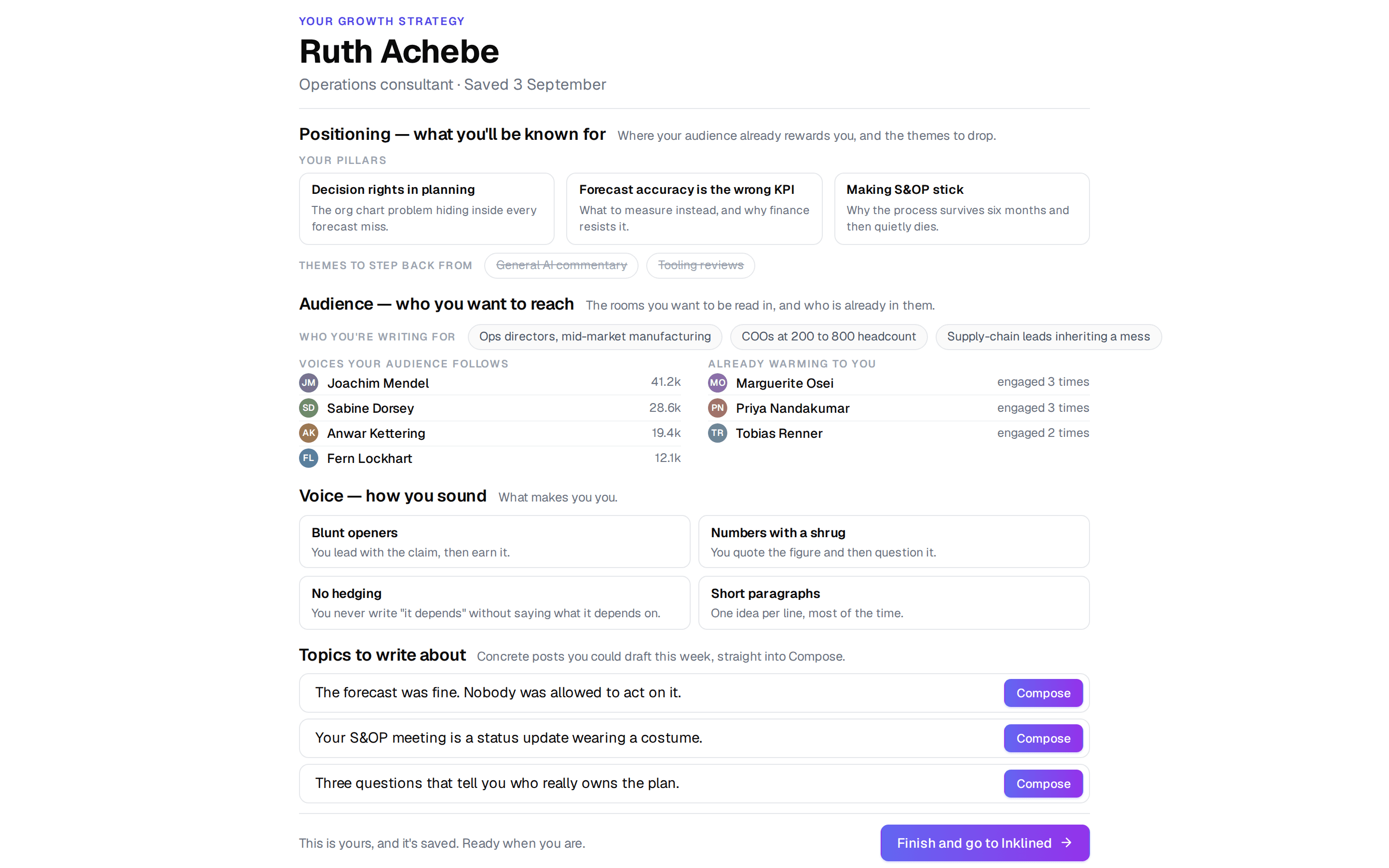
- It works through four things: who you want to reach, what you want to be known for, what you stand for, and how you sound.
- You leave with an editable growth strategy document and a fingerprint of your voice.
- No card required, and the strategy is yours whether or not you carry on.
Your best content is hiding in conversations
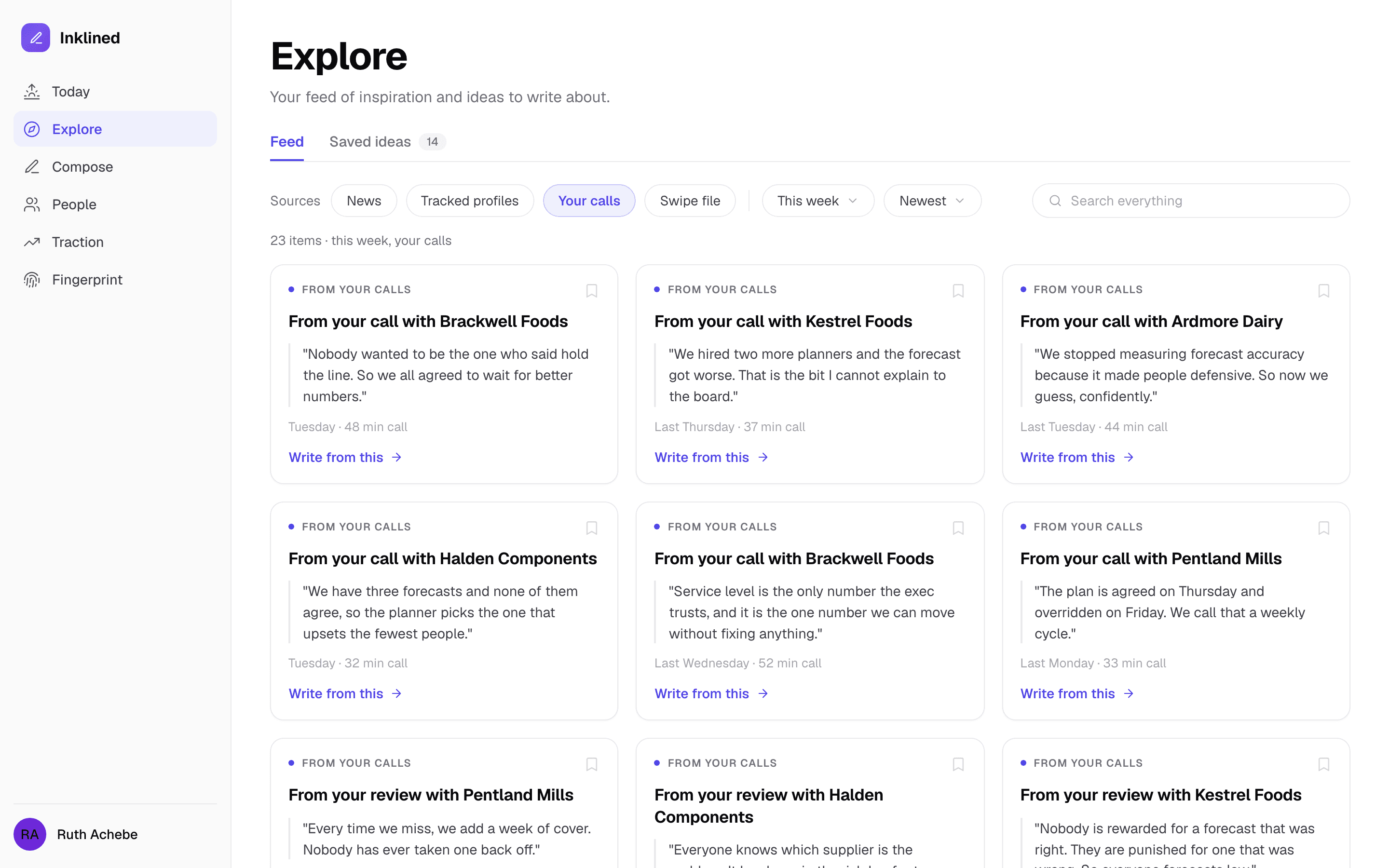
Connect Granola, Fathom, Fireflies or Attio, or send us anything through a generic webhook. Inklined reads every conversation you sync and surfaces what is worth saying out loud.
- Automatic topic extraction from sales calls, coaching sessions, and client meetings. Never run out of things to say.
- Every call feeds your fingerprint, so the writing gets closer to you over time.
- Privacy-first: your transcripts stay yours, and identifying details are stripped before anything is extracted, so you're not sharing details you shouldn't.
- 20 meetings a month on Starter, 60 on Pro.
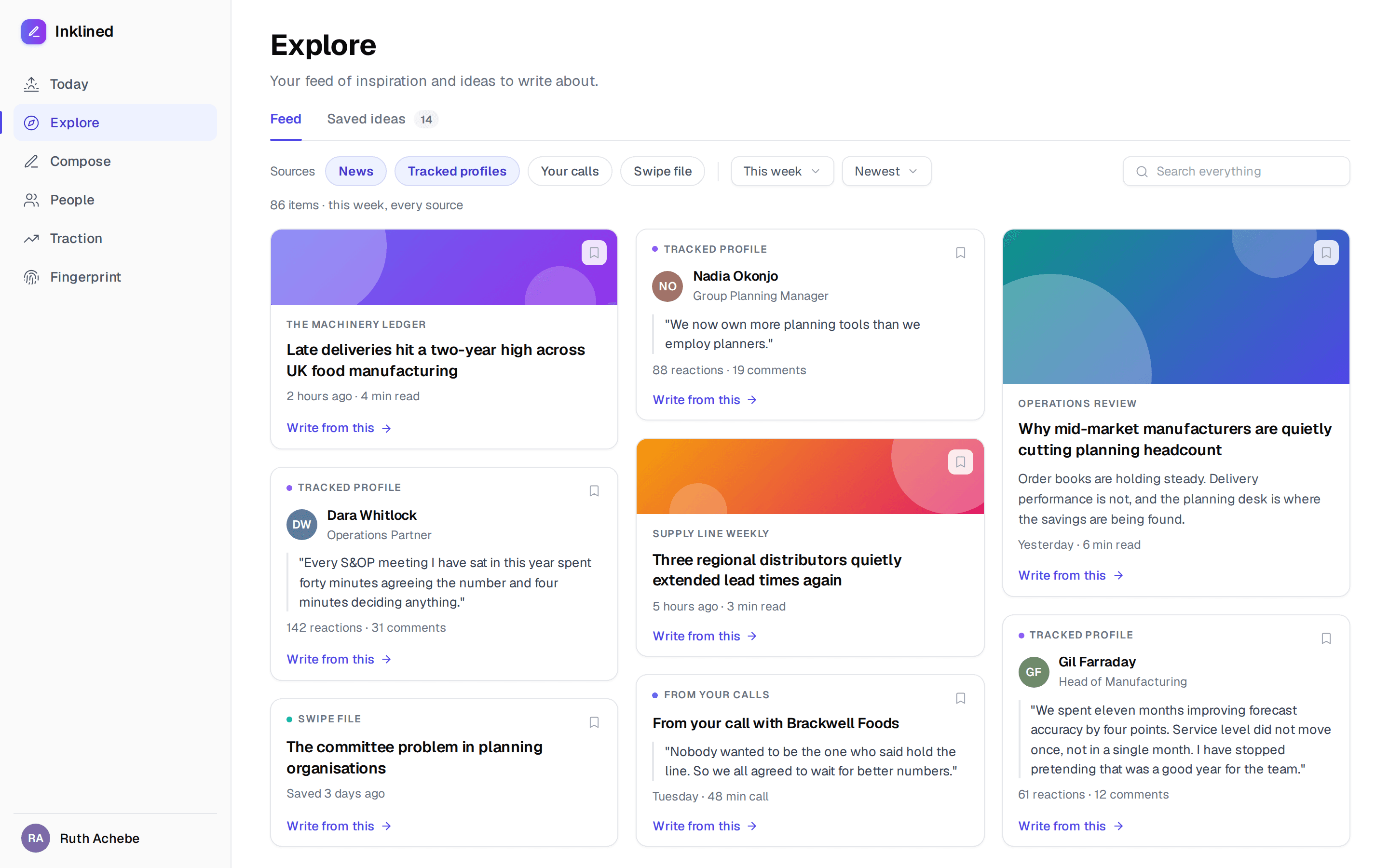
Never wonder "what should I write about?" again
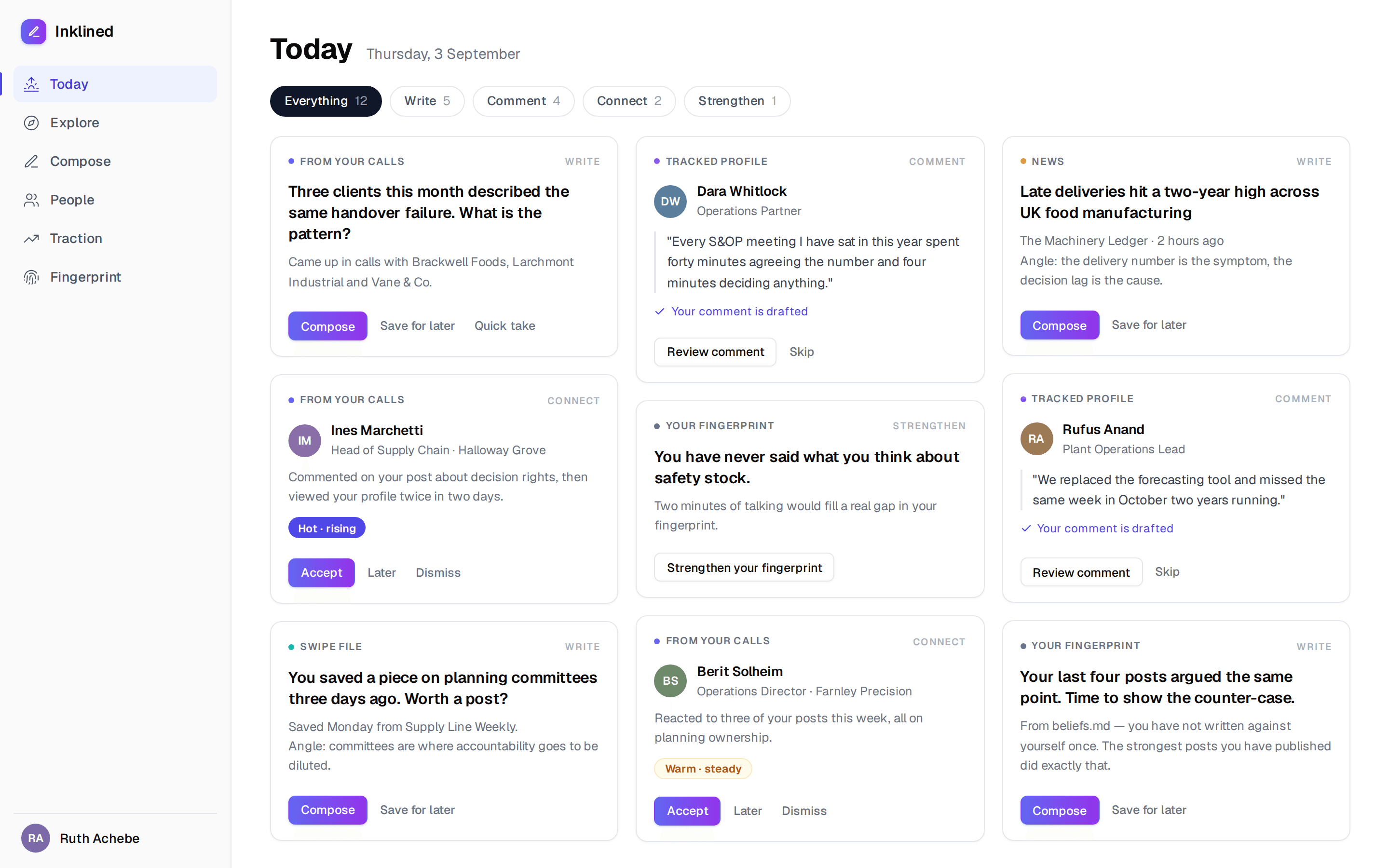
Today is one screen with the four things worth doing, ranked. Explore is everything your sources brought in, if you want to go digging.
- Write: a question or an idea worth posting about, drawn from your calls, the news in your field, the profiles you track and the things you saved.
- Comment: a post worth replying to, with a comment already drafted in your voice.
- Connect: a person worth reaching out to, and why now.
- Strengthen: a prompt that fills a gap in your fingerprint.
- Every tile shows where it came from. Compose it, save it for later, or fire back a quick take.
- Explore holds the full feed, filtered by news, tracked profiles, your calls or your swipe file, plus everything you saved for later.
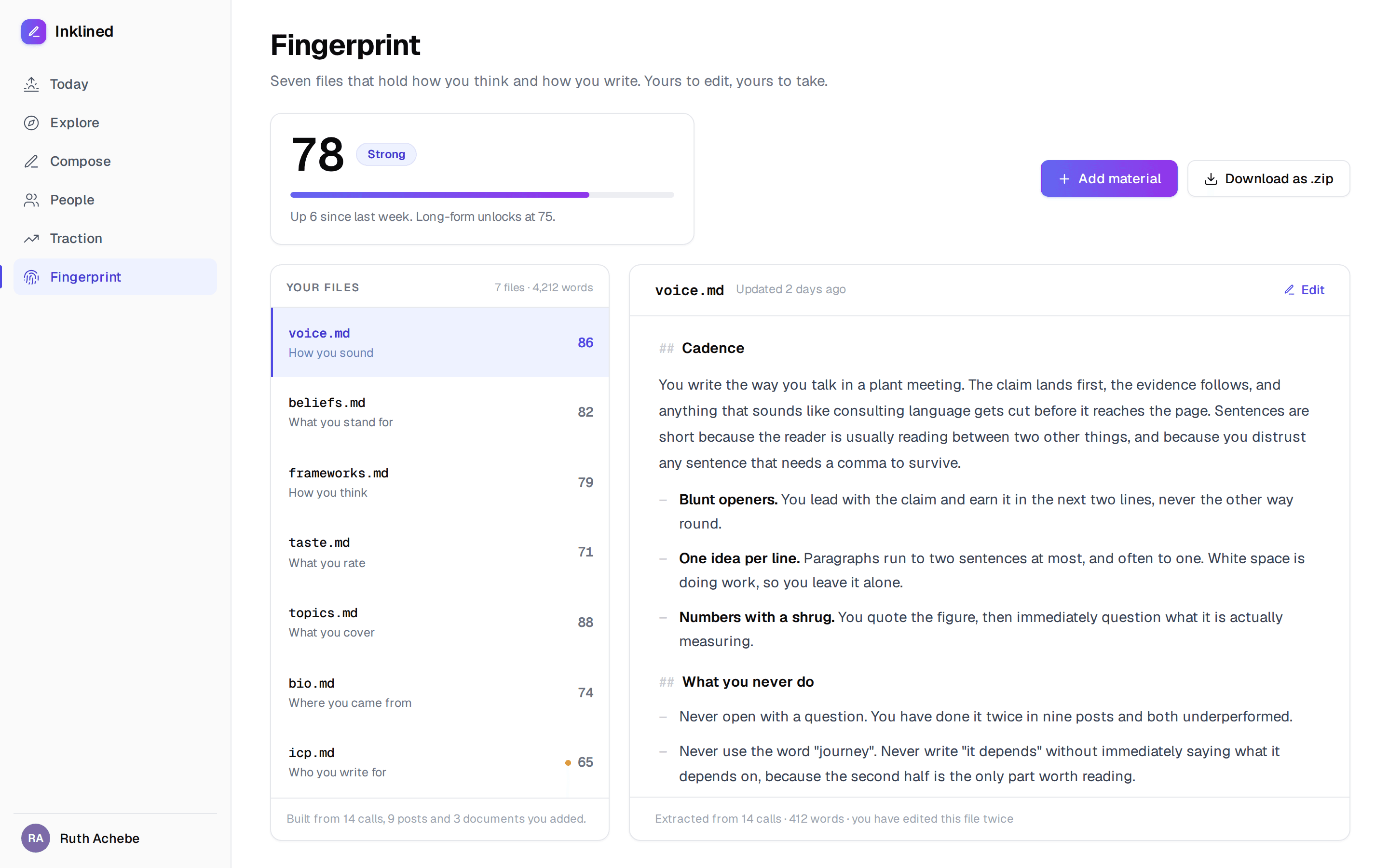
AI that sounds like you, not like AI
Generic AI content is obvious, and it's everywhere. Your fingerprint is seven plain Markdown files that hold what makes your writing yours:
- voice.md, how you sound. Cadence, formality, technical depth, humour, directness, sentence length.
- beliefs.md, what you stand for, so the writing carries your point of view.
- frameworks.md, the models and methods you actually use with clients.
- taste.md, the judgement calls that make writing feel like yours.
- topics.md, the themes where you add most value.
- bio.md, the career and experience that shaped you.
- icp.md, who you are writing for.
- Your fingerprint gets a confidence score out of 100. Compose unlocks at 60, long-form at 75.
- Download the whole thing as a zip of plain Markdown any time. No lock-in.
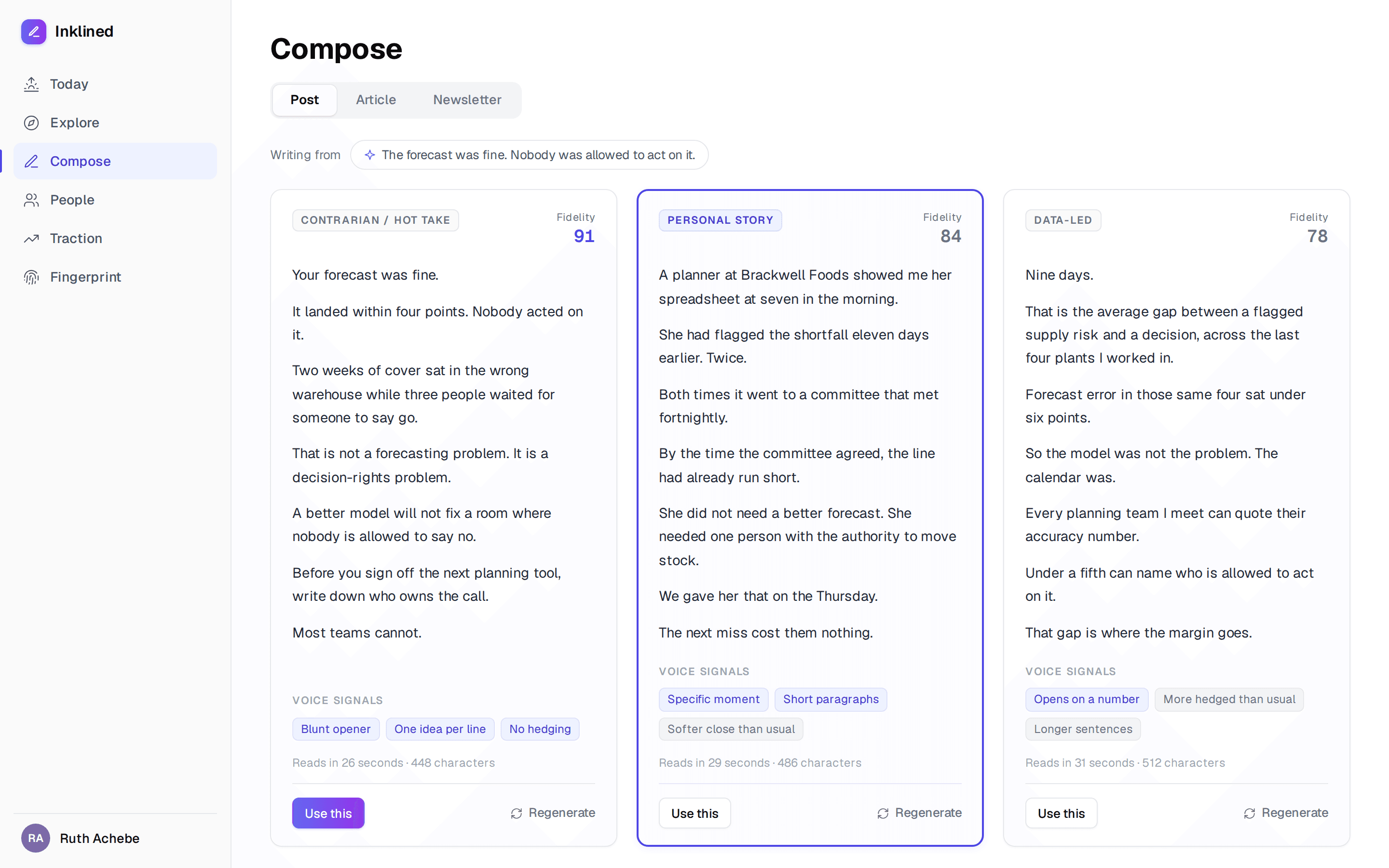
Real thought leadership, one simple workflow
Pick an idea, choose the format, and Inklined writes:
- Nine styles to choose from, and you pick three. Contrarian, personal story, data-led, how-to, lesson learned, bold prediction, question, myth-buster, case study.
- 3 variations across different styles so you can pick the one that resonates most, and give a final edit from there.
- Each draft is graded with a fidelity score so you can see how well it has tracked to your fingerprint.
- Highlight any passage and rewrite just that part. Expand it, tighten it, or put it back in your voice.
- Switch between post, article and newsletter without starting again.
- Iterative feedback: tell the AI what to change, regenerate, and it learns your preferences for next time.
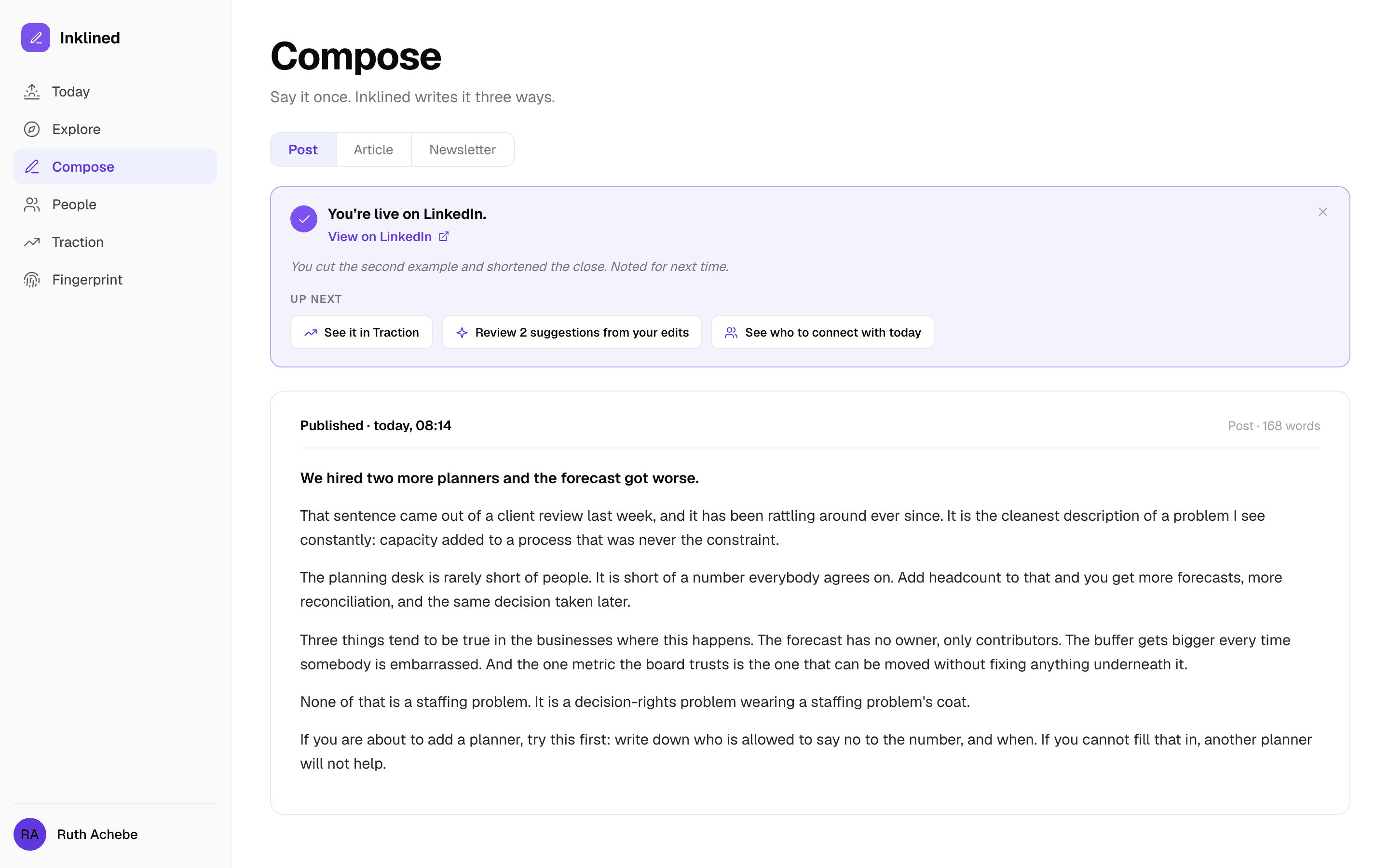
From draft to published, without leaving Inklined
Connect your accounts and publish directly:
- LinkedIn: share posts and articles directly to your profile, and schedule them.
- WordPress: push long-form straight to your site.
- Newsletters export clean for Substack, beehiiv or Mailchimp. You send them, we don't.
- Or export to your preferred tools. Your content, your choice.
Find the exact people worth engaging with
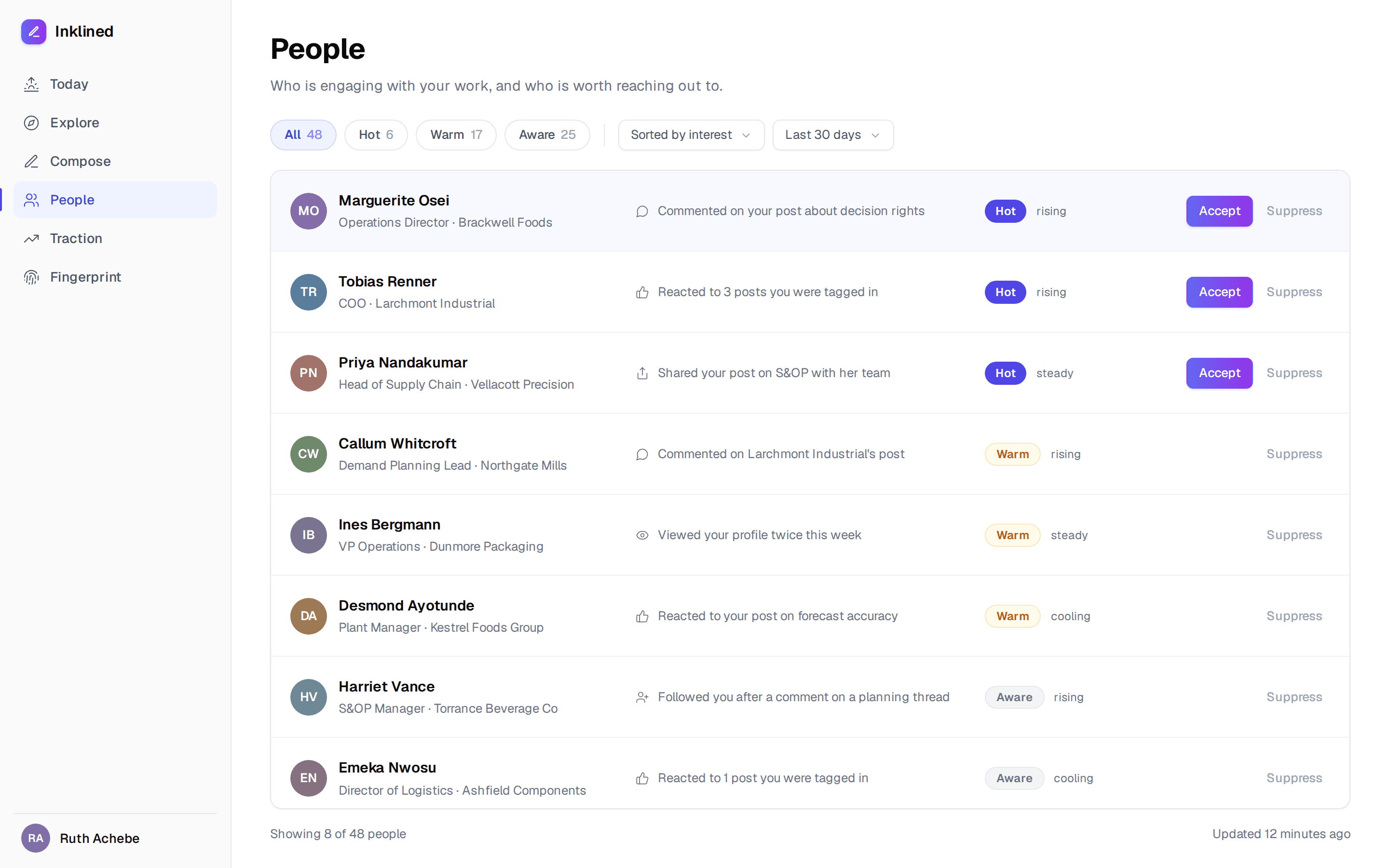
Your next clients are already raising their hand in the comments and reactions. Inklined surfaces them:
- Everyone who commented on or reacted to your posts, and to the profiles you track.
- Each one scored against your ICP and ranked hot, warm, aware or cold, with a rising, steady or cooling trend.
- They show up on Today under Connect, and in full on People.
- On Pro: accept a person and Inklined finds their work email, builds a dossier and pushes them into your Apollo or lemlist campaign after you review it. 100 a month.
- It is not a CRM. No notes, no deal stages, no pipeline value. It tells you who to talk to, and you talk to them.
See what's actually working
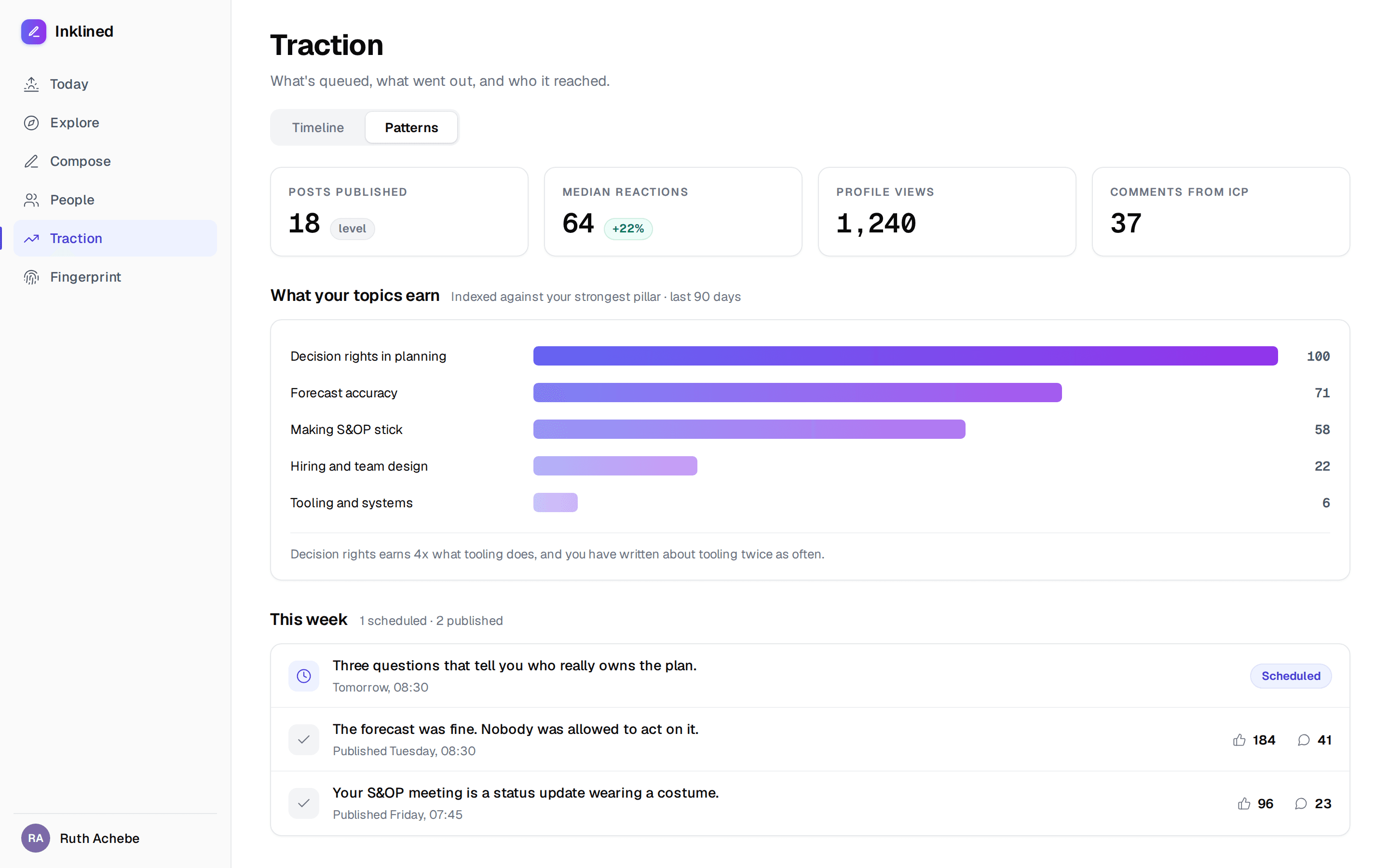
Traction is what you've written, where it went, and what it earned:
- What's queued, what published, and what you marked as posted by hand.
- LinkedIn engagement on every piece: reactions, comments, shares and impressions.
- Who your work reached, feeding straight back into People.
- On Pro: weekly Patterns, the analysis of which of your themes actually earn attention, so you know what to write more of.
Save the thing that made you think
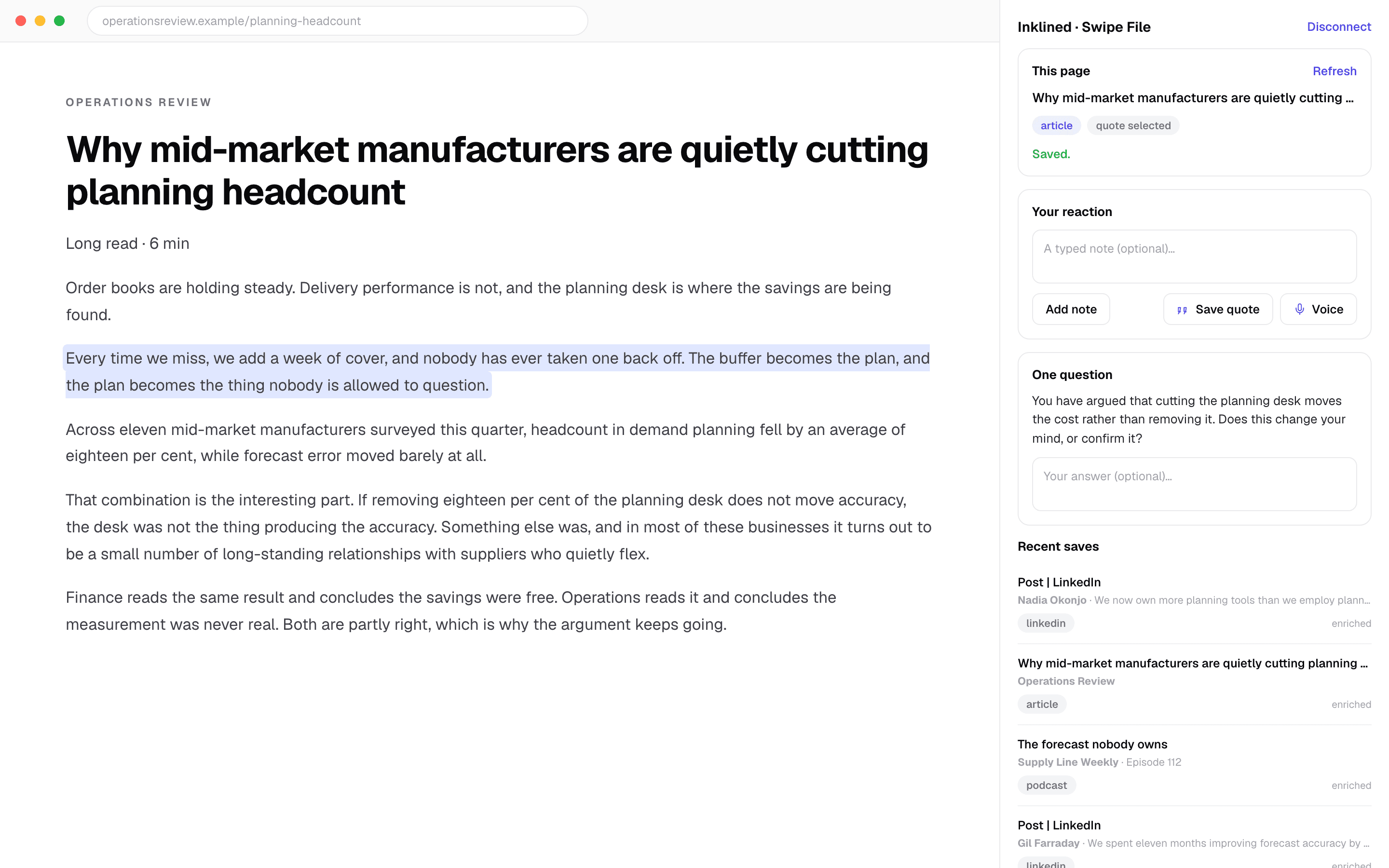
A browser extension that sits in a side panel and captures what you're reading, available from inside the app.
- It knows what it's looking at: LinkedIn posts, YouTube videos, podcasts and articles.
- React three ways as you save: a typed note, a highlighted quote, or a voice memo.
- It asks you one follow-up question, shaped by your fingerprint, so a save becomes a thought rather than a bookmark.
- Saves flow into your swipe file, your fingerprint and Explore, so what you read shapes what you write.
- There's an inbound email address too, for forwarding the newsletters you actually read.
Six things to connect, and you only need some of them
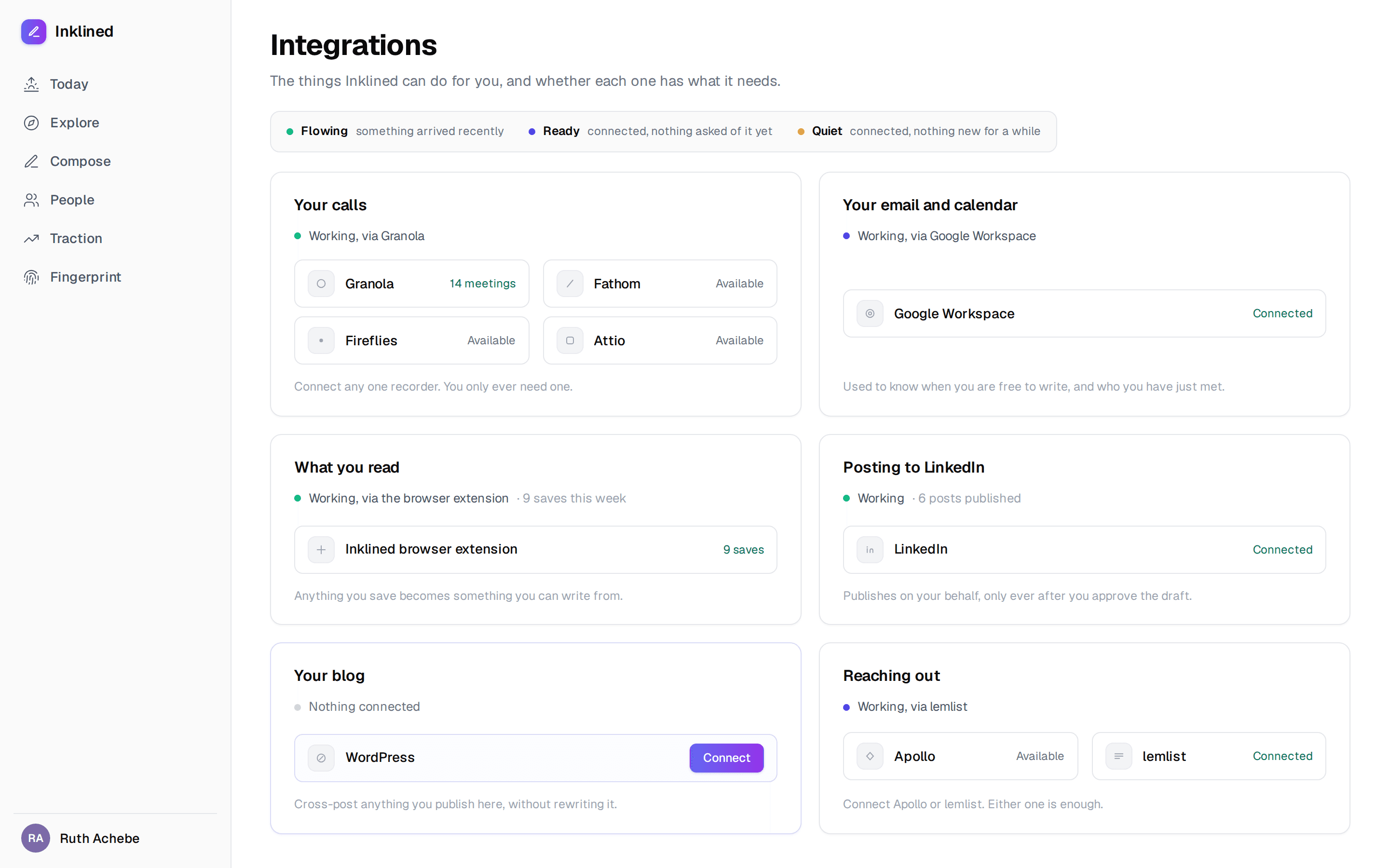
Integrations are organised around what Inklined can do for you, not which logos you've collected:
- Your calls: Granola, Fathom, Fireflies, Attio, or a generic webhook. Any one is enough.
- Your email and calendar: Google Workspace, read-only, powering the Friday review.
- What you read: the browser extension.
- Posting to LinkedIn: publish and schedule.
- Your blog: WordPress, for long-form.
- Reaching out: Apollo or lemlist. Either one is enough.