What's new · 1 September 2026
Inklined is out of beta.
The biggest release since we started. Onboarding is a conversation now, not a form. The whole app moved to six tabs. Today became one screen instead of three lists. Explore and People became places of their own. And there are two plans you can actually buy.
Your first session is a strategy session
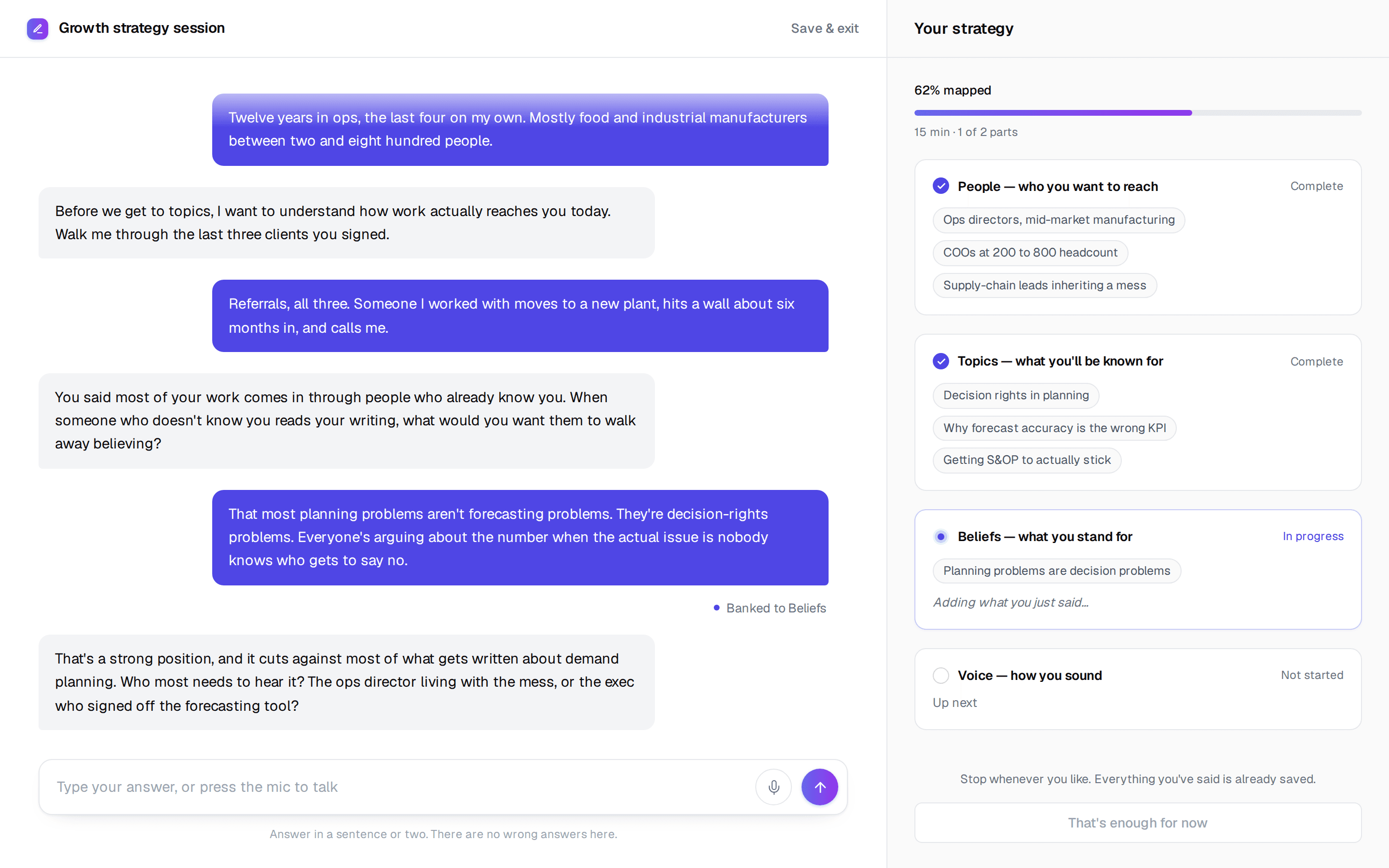
The setup wizard is gone. In its place is a full-screen conversation, no navigation, no form fields. Talk or type, whichever you prefer.
It opens by asking two things: how long have you got (five minutes, fifteen, or as long as it takes) and where are you with what you stand for. Then it works through four sections: People, who you want to reach. Topics, what you'll be known for. Beliefs, what you stand for. Voice, how you sound.
A panel beside the conversation assembles your strategy as you talk, with a running “% mapped” bar. It saves as it goes, so you can stop at any point and come back to it.
Where to find it: It runs automatically the first time you sign in.
And you leave with a document
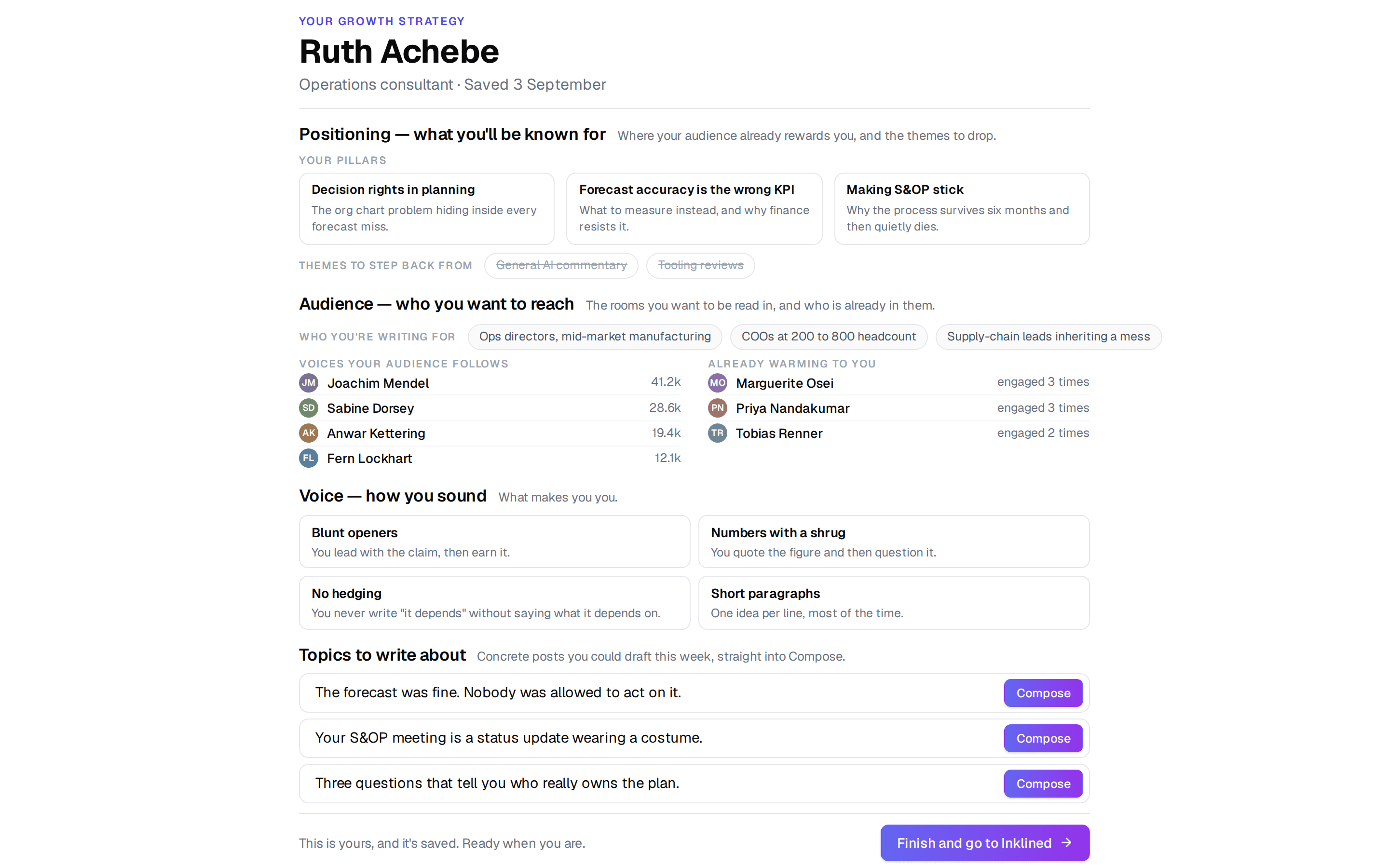
The session produces an editable growth strategy document in four parts: Positioning, Audience, Voice, and Topics to write about. Plus the first version of your fingerprint files.
It is yours to edit, and yours to keep whether or not you carry on with Inklined.
Where to find it: At the end of the session, and any time after at /strategy/document.
Six tabs, and everything has a home
The sidebar is gone. There are six places now, and each one answers a different question.
- Today, what to do this morning. It's where you land.
- Explore, everything your sources collected, plus your saved ideas.
- Compose, the writer.
- People, who is engaging with your work and who is worth reaching out to.
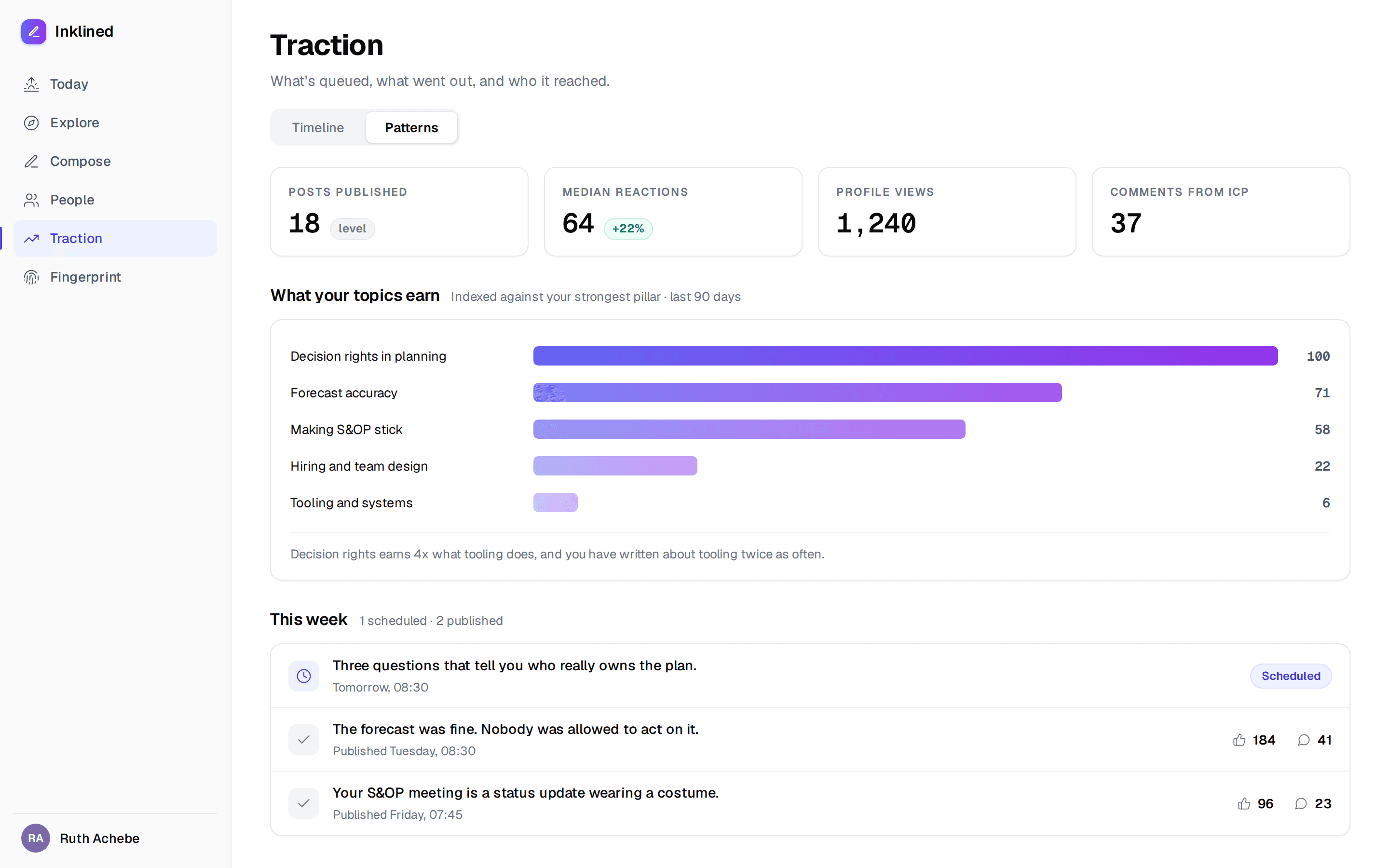
- Traction, what is queued, what went out, who it reached, plus Patterns.
- Fingerprint, your seven Markdown files and their confidence score.
Some old names went with it. Write is now Compose, Posts is now Traction, and Voice is now Fingerprint. Settings moved into the avatar menu.
Today is one screen, not three lists
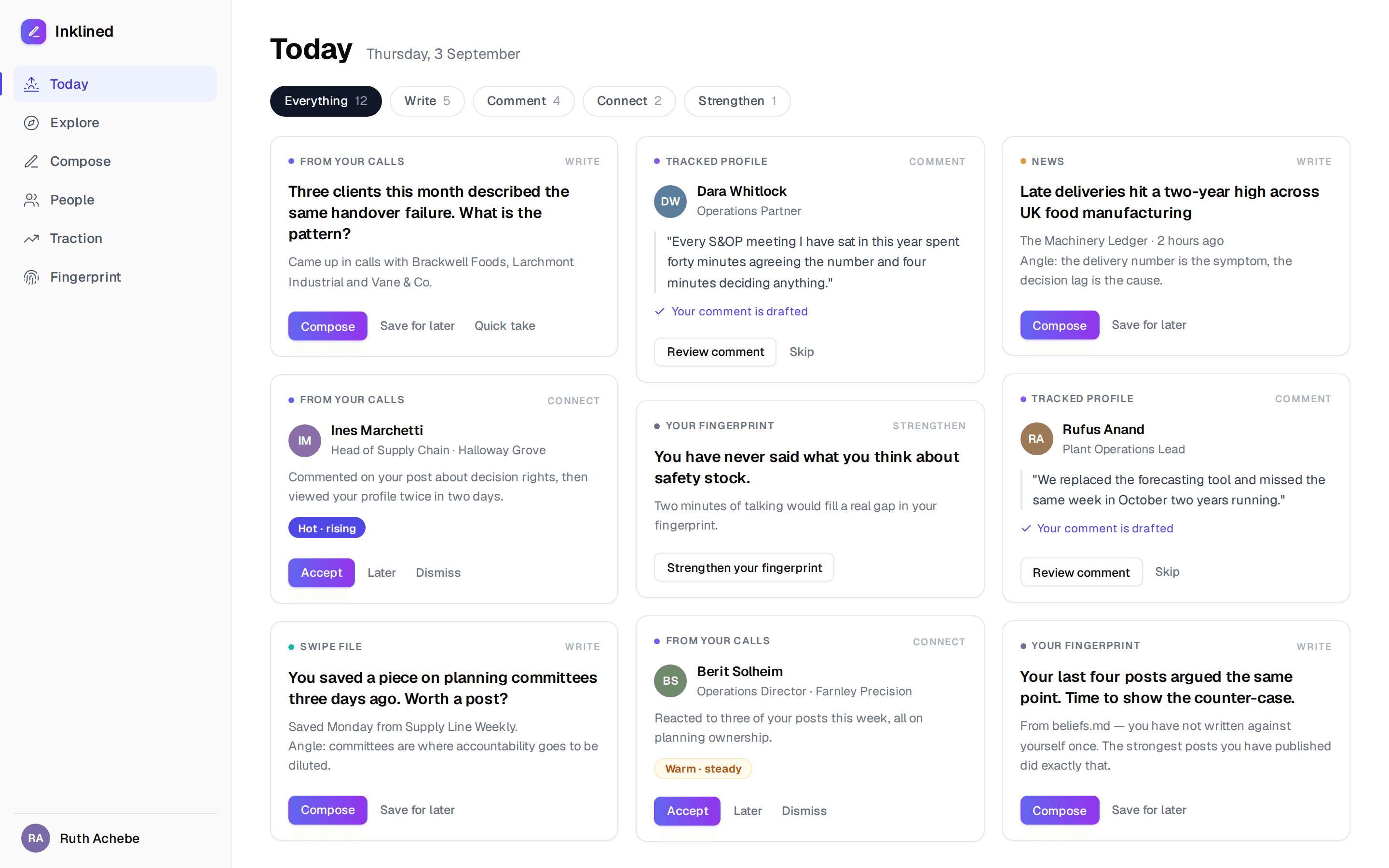
One adaptive mosaic of tiles, filtered by what you actually want to do. The chips read Everything, Write, Comment, Connect and Strengthen.
- Write: a question or idea worth posting about.
- Comment: a post worth replying to, with a comment already drafted.
- Connect: a person worth reaching out to.
- Strengthen: a prompt that fills a gap in your fingerprint.
Every tile shows where it came from. Every tile does three things: Compose, Save for later, or a quick take.
Where to find it: Today. It's the first tab.
Explore is a feed again
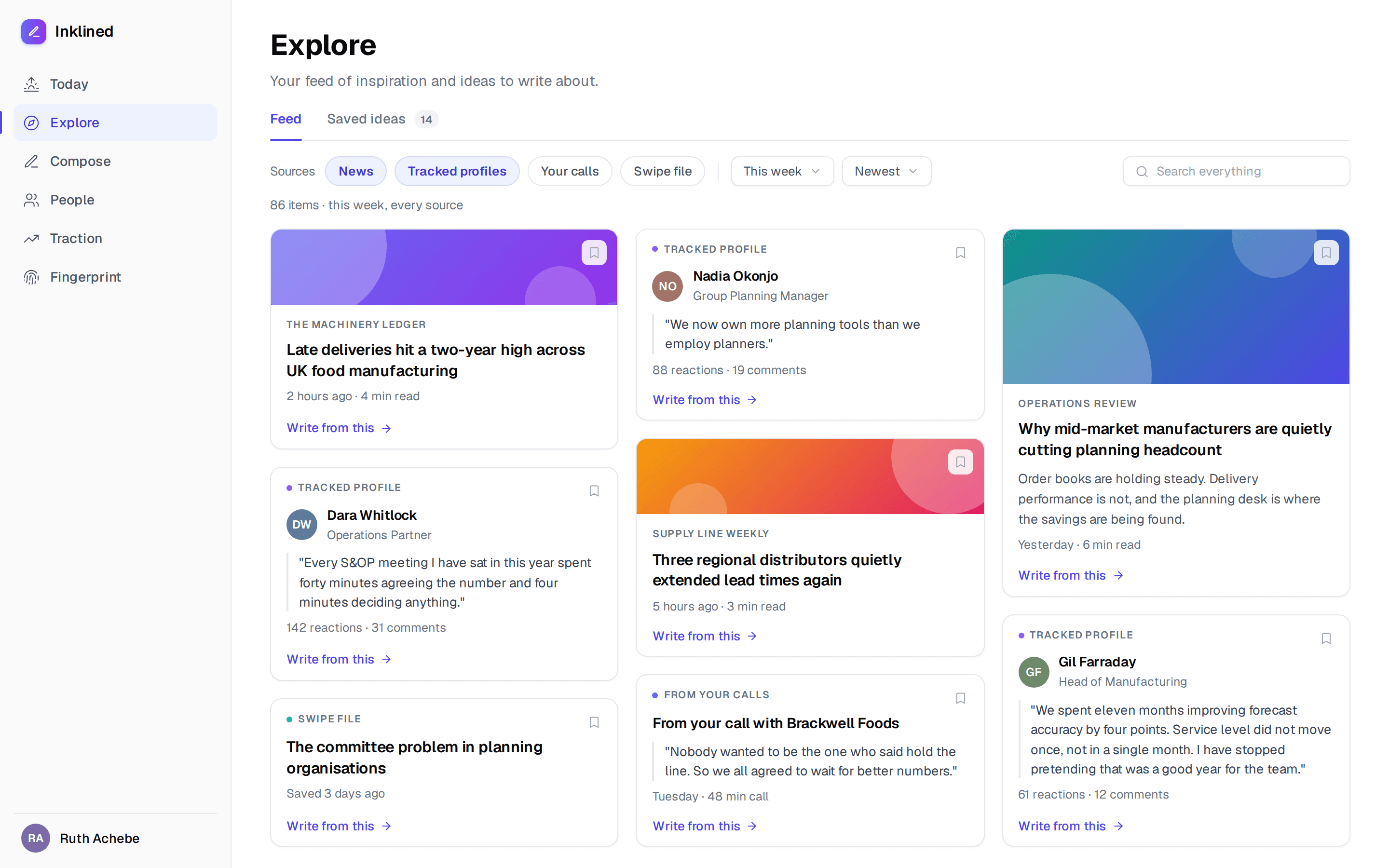
The heat-ranked theme map is gone. It looked good and nobody used it. What people wanted was to see everything that came in and go digging.
Explore is now two tabs, Feed and Saved ideas, with source filters for News, Tracked profiles, Your calls and Swipe file, plus timeframe, sort and search.
Where to find it: Explore, the second tab.
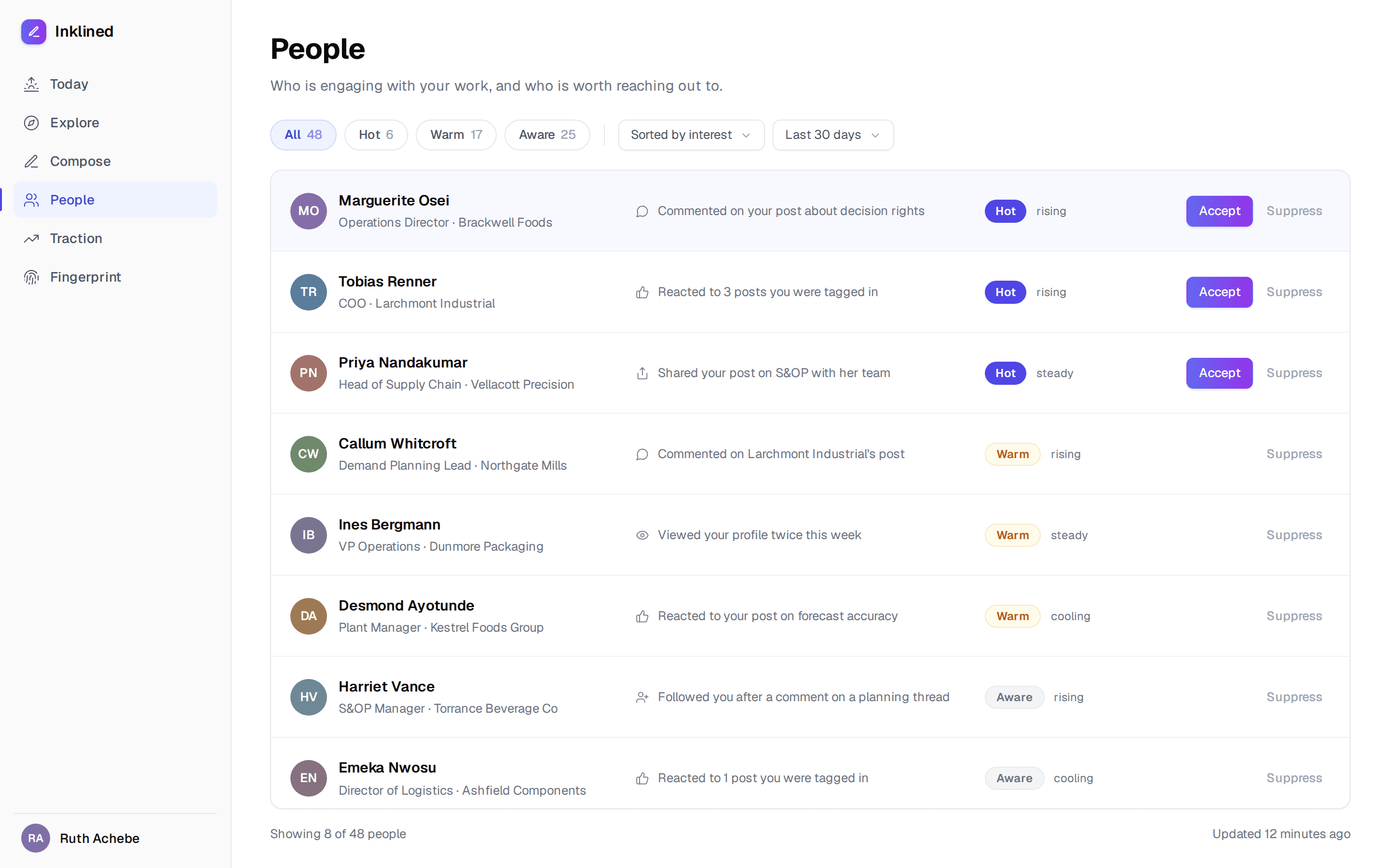
People is its own place now
Inklined scrapes the people who commented on and reacted to your posts, and to the profiles you track, scores them against your ICP, and ranks them hot, warm, aware or cold with a rising, steady or cooling trend. That runs on both plans.
On Pro, press Accept on a person and Inklined reads their recent posts, finds a work email through your own Apollo or lemlist account, builds a dossier, and pushes them into your sequence after you have reviewed it. A hundred leads a month.
It is deliberately not a CRM. No notes, no deal stages, no pipeline value. It tells you who to talk to.
Where to find it: People, the fourth tab. The hottest few also surface on Today under Connect.
Integrations, rebuilt around what they do
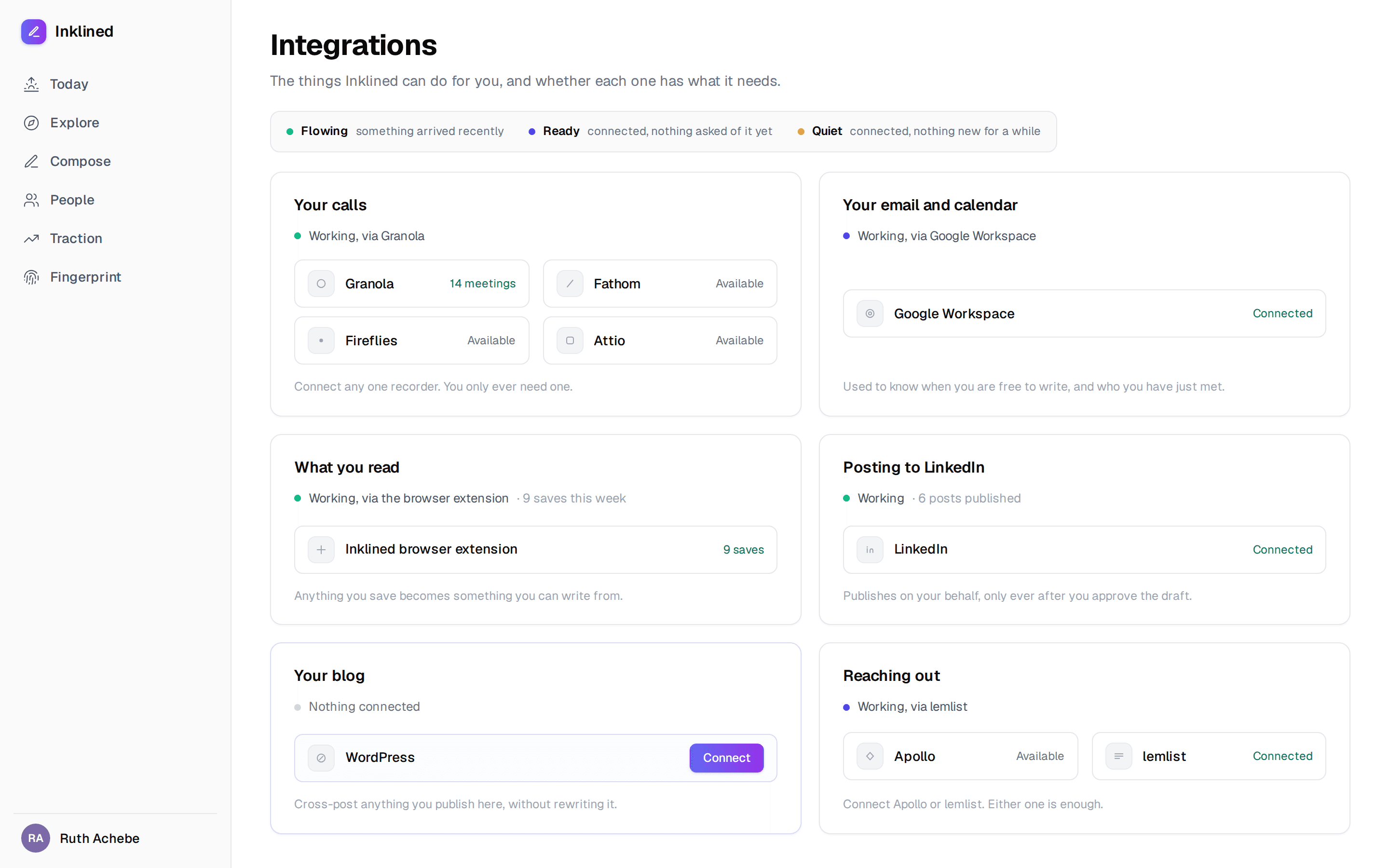
The old page was a wall of logos. The new one is six capabilities, each of which you can satisfy in more than one way: Your calls (Granola, Fathom, Fireflies, Attio or a webhook), Your email and calendar, What you read (the extension), Posting to LinkedIn, Your blog (WordPress), and Reaching out (Apollo or lemlist).
Each capability shows whether it is Flowing, Ready or Quiet, so you can see at a glance what is actually feeding the machine.
Where to find it: The avatar menu, then Settings, then Integrations.
Download your whole fingerprint
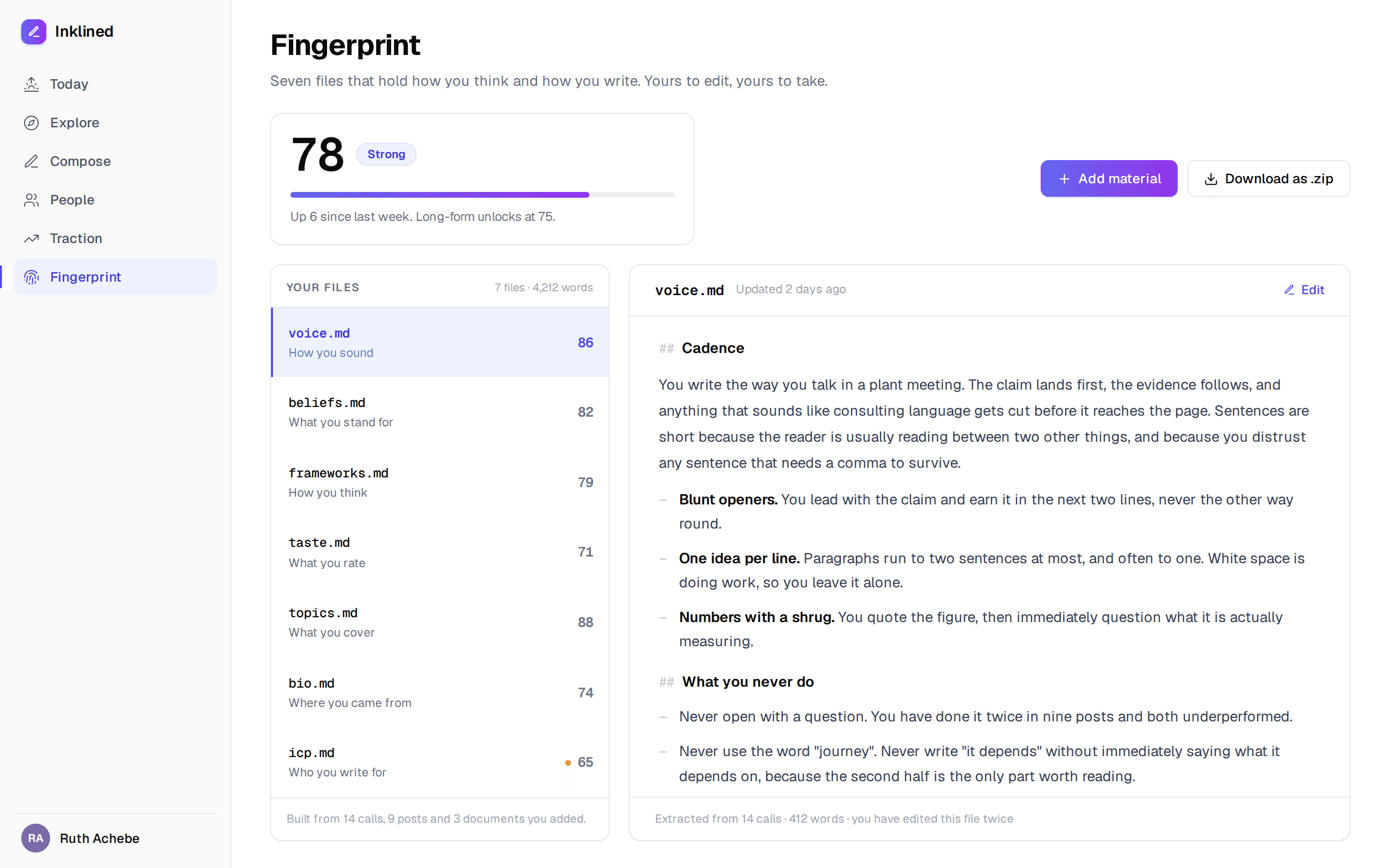
Your fingerprint is seven Markdown files: voice, beliefs, frameworks, taste, topics, bio and icp. You can now download the lot as a zip of plain Markdown, whenever you want, no request and no export queue.
It felt wrong to ask people to hand over how they think and how they write, and then keep it. So we don't.
The confidence score sits on the same page: 0 to 100 overall and per file, banded Thin, Workable, Strong, Nearly there and Complete. Compose unlocks at 60 and long-form at 75.
Where to find it: Fingerprint, the sixth tab.
Two plans, and no credits to count
Starter is £39 a month, Pro is £99. Or £199 and £529 for six months up front. Ink credits are gone, replaced by plain monthly limits that Inklined counts for you.
The order matters here. You sign up, do the strategy session, and get your fingerprint and your strategy document before you meet a payment wall. When you want to start writing, add a card and the first seven days are free.
Beta accounts created before 4 September keep the trial they were promised.
Where to find it: The pricing page, and in the app under the avatar menu, then Settings, then Billing.
Compose picks up nine styles
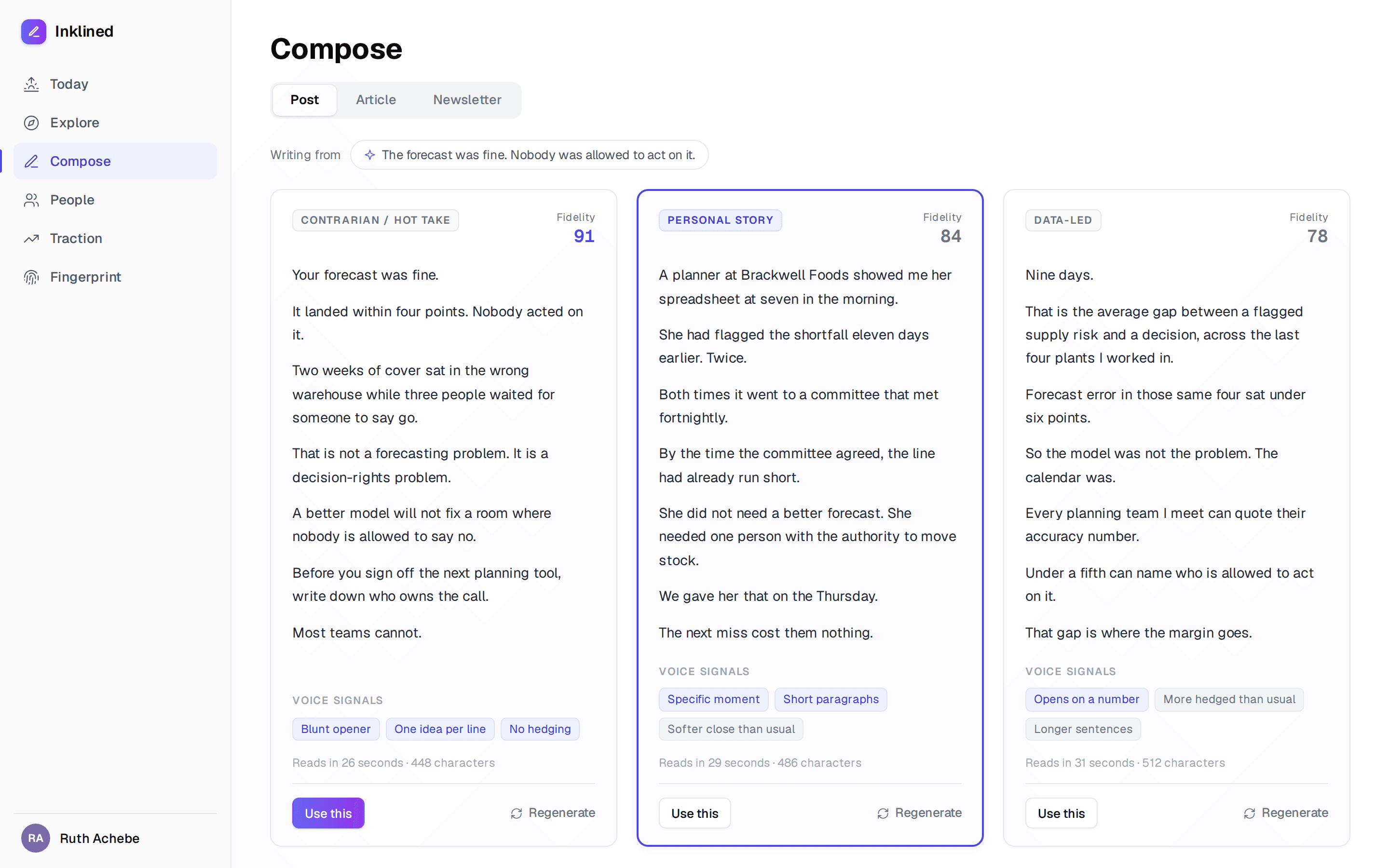
Choose three of nine styles and Compose writes a variant of each, side by side: contrarian, personal story, data-led, how-to, lesson learned, bold prediction, question, myth-buster and case study.
Every variant carries a fidelity score out of 100, judged against your fingerprint and your real posts across three axes: voice, beliefs and frameworks.
Where to find it: Compose, the third tab.
Traction, and the weekly Patterns read
Traction holds what is queued, what went out, and who it reached. On Pro it also runs Patterns every week: which of your themes actually earn attention, so you know what to write more of.
Where to find it: Traction, the fifth tab.
Not using Inklined yet?
Sign up, do the strategy session, and keep the strategy document whether or not you carry on. No card needed for that part.